SEO Spider Reporting and Analysis: Unveiling Insights for Optimization
SEO spiders are powerful tools for crawling and analyzing websites, providing valuable data for search engine optimization (SEO). However, the real value lies in the reporting and analysis of the data gathered. This page explores how to create custom reports, identify critical SEO issues, and effectively export data for further manipulation and insights.
Creating Custom Reports: Tailoring Data to Your Needs
One of the key features of advanced SEO spider tools is the ability to create custom reports. These reports allow you to focus on specific metrics and data points that are most relevant to your SEO goals. Instead of being overwhelmed by a sea of information, you can distill the data into actionable insights.
Here are some steps to consider when creating custom reports:
- Define Your Objectives: What specific questions are you trying to answer? Are you looking for broken links, missing meta descriptions, or slow-loading pages? Clearly defining your objectives will guide your report creation process.
- Select Relevant Metrics: Choose the metrics that directly address your objectives. Common metrics include URL, status code, title tag, meta description, H1 tags, word count, internal links, external links, and page load time.
- Filter and Segment Data: Use filters to narrow down the data based on specific criteria. For example, you might filter for pages with a status code of 404 to identify broken links. Segmentation allows you to group pages based on categories, such as blog posts, product pages, or landing pages.
- Visualize Data: Use charts and graphs to present data in a visually appealing and easy-to-understand format. This can help you quickly identify trends and patterns.
- Schedule Regular Reports: Set up automated reports that are generated on a regular basis, such as weekly or monthly. This will help you track your progress over time and identify any new issues that arise.
For example, you could create a custom report that shows all pages with missing meta descriptions, ordered by the number of internal links pointing to them. This report would help you prioritize which pages to optimize first, focusing on those that are most important to your website's internal linking structure.

A sample SEO report highlighting key metrics.
Identifying Critical SEO Issues: Pinpointing Areas for Improvement
SEO spider reports can help you identify a wide range of SEO issues that can negatively impact your website's search engine ranking. By regularly scanning your website with an SEO spider, you can proactively address these issues and improve your overall SEO performance.
Here are some common SEO issues that can be identified using SEO spider reports:
- Broken Links: Identifying and fixing broken links is crucial for maintaining a positive user experience and preventing link equity loss.
- Missing or Duplicate Title Tags and Meta Descriptions: Title tags and meta descriptions are important for search engine ranking and click-through rates. Ensure that every page has a unique and compelling title tag and meta description.
- Duplicate Content: Duplicate content can confuse search engines and dilute your website's ranking power. Identify and address any instances of duplicate content on your website.
- Slow Page Load Speed: Page load speed is a critical ranking factor. Identify slow-loading pages and optimize them for faster performance.
- Missing or Improperly Formatted H1 Tags: H1 tags help search engines understand the main topic of a page. Ensure that every page has a clear and concise H1 tag.
- Orphan Pages: Orphan pages are pages that are not linked to from any other pages on your website. These pages are difficult for search engines to find and may not be indexed.
- Redirect Chains and Loops: Redirect chains and loops can slow down page load speed and confuse search engines. Identify and eliminate any unnecessary redirects.
- Thin Content: Pages with very little content may not be considered valuable by search engines. Identify pages with thin content and add more relevant and informative content.
By regularly monitoring these and other SEO issues, you can ensure that your website is optimized for search engines and users.
Exporting Data: Leveraging Data for Advanced Analysis
Most SEO spider tools allow you to export data in various formats, such as CSV, Excel, or Google Sheets. This allows you to further analyze the data using other tools and techniques, such as data visualization software or statistical analysis programs.
Here are some ways to leverage exported data for advanced analysis:
- Data Visualization: Use data visualization tools to create interactive charts and graphs that help you identify trends and patterns in your SEO data.
- Competitive Analysis: Export data from your competitors' websites to compare their SEO performance with your own.
- Keyword Research: Analyze the keywords used in your website's content and identify opportunities to target new keywords.
- Content Gap Analysis: Identify topics that your website is not currently covering and create new content to fill those gaps.
- Link Building Analysis: Analyze your website's backlink profile and identify opportunities to acquire new backlinks.
For instance, you could export your website's crawl data into Google Sheets and use pivot tables to analyze the distribution of internal links across different sections of your website. This could help you identify areas where you need to improve your internal linking strategy.
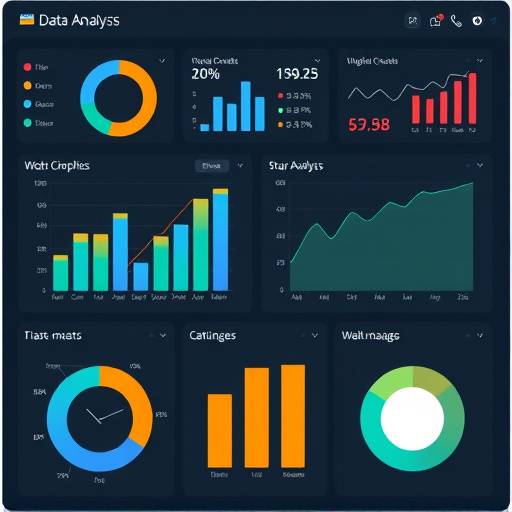
A data analysis dashboard showcasing key SEO metrics and trends.
WebWeavers Analytics provides comprehensive SEO spider reporting and analysis tools to help you improve your website's search engine ranking. Our platform offers customizable reports, advanced issue identification, and seamless data export capabilities.
For more information about our services, please visit our contact page .
We also provide information on accessibility , our privacy policy , terms and conditions , and our cookies policy .